




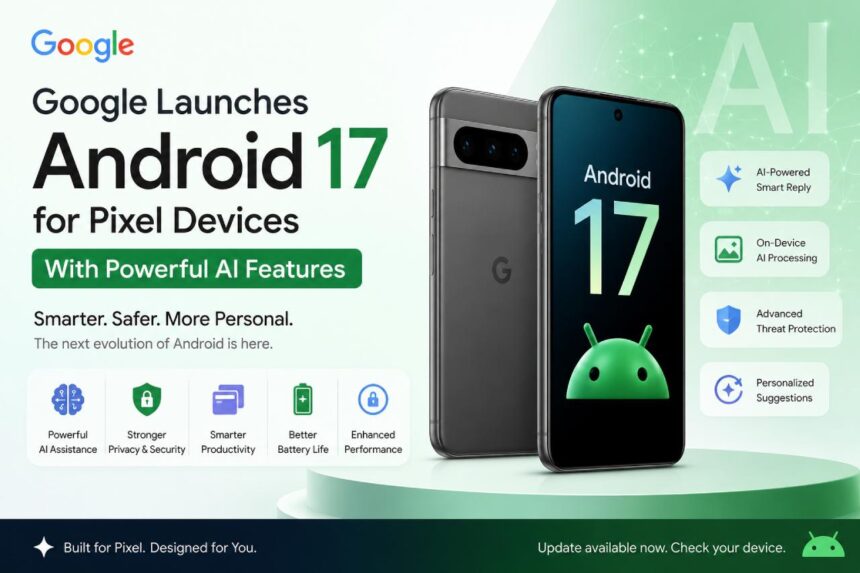
Google has officially launched Android 17 for Pixel devices, bringing a fresh wave of artificial intelligence features, enhanced privacy controls, and productivity-focused upgrades. The latest version of Android aims to make smartphones smarter, more personalized, and more efficient for everyday users.
The rollout began with eligible Google Pixel smartphones, giving Pixel users first access to Android 17’s newest innovations before the update reaches other Android manufacturers in the coming months.
AI Takes Center Stage in Android 17
Artificial intelligence is the biggest highlight of Android 17. Google has integrated advanced AI capabilities throughout the operating system, helping users complete tasks faster and with less effort.
The update introduces smarter on-device assistance, allowing Pixel phones to better understand user habits and provide contextual suggestions. Whether it’s composing messages, organizing notifications, or managing daily tasks, Android 17 uses AI to streamline the mobile experience.
Google says many of these AI features run directly on the device, improving privacy while delivering faster responses.
Improved Productivity Features
Android 17 also includes several enhancements designed to boost productivity. Users can enjoy improved multitasking tools, more flexible app management, and refined split-screen functionality.
The update makes it easier to switch between apps, manage workflows, and stay productive on larger-screen devices such as foldables and tablets.
Google has also enhanced notification management, helping users focus on important alerts while reducing distractions from less relevant notifications.
Stronger Privacy and Security
Security remains a major focus in Android 17. The new release introduces upgraded privacy controls that give users greater transparency over how apps access personal data.
New permission settings allow users to better control access to location, camera, microphone, and sensitive information. Enhanced threat detection tools also help protect devices from malware and phishing attacks.
Google says Android 17 continues its commitment to protecting user data while maintaining a seamless user experience.
Better Performance and Battery Life
Android 17 brings system-level optimizations aimed at improving overall device performance. Pixel users can expect smoother animations, faster app launches, and improved power efficiency.
Battery management has also been refined, with AI-powered optimization helping devices intelligently manage background processes and extend battery life throughout the day.
Eligible Pixel Devices
The Android 17 update is rolling out to supported Google Pixel smartphones, including recent Pixel flagship models. Availability may vary by region and carrier, with updates being released in phases.
Users can check for the update by navigating to:
Settings → System → Software Update
Google’s Vision for AI-Powered Smartphones
With Android 17, Google is doubling down on its vision of AI-powered mobile computing. The company believes artificial intelligence will play an increasingly important role in helping users communicate, create content, manage tasks, and interact with their devices naturally.
The launch further strengthens the Pixel lineup’s position as Google’s showcase platform for the latest Android innovations.
Android 17 represents one of Google’s most AI-focused Android releases yet. With smarter assistance, stronger security protections, better productivity tools, and improved performance, the update delivers meaningful improvements for Pixel users.
As Android continues evolving, Google is making AI a core part of the smartphone experience, and Android 17 marks another significant step toward that future.
FAQs: Google Launches Android 17 for Pixel Devices
1. What are the main new features in Android 17?
Android 17 introduces powerful AI-driven features, improved privacy controls, smarter notifications, enhanced multitasking tools, better battery optimization, and overall performance improvements for supported devices.
2. Which Pixel devices are eligible for the Android 17 update?
Android 17 is rolling out to supported Google Pixel smartphones. Eligibility depends on the specific Pixel model, region, and carrier. Users can check their device’s update status in the Settings app.
3. How does Android 17 use artificial intelligence?
Android 17 integrates AI across the operating system to provide smarter suggestions, assist with messaging, improve notification management, optimize battery usage, and deliver a more personalized user experience.
4. Does Android 17 improve privacy and security?
Yes. Android 17 includes stronger privacy controls, enhanced app permissions, improved malware protection, and better transparency regarding how apps access personal data such as location, camera, and microphone.
5. How can I install Android 17 on my Pixel phone?
To install Android 17, go to Settings > System > Software Update and check for available updates. If the update is available for your device, follow the on-screen instructions to download and install it.